Office 365 migration has become a critical step for organizations looking to modernize their communication infrastructure and take advantage of cloud-based productivity tools. Whether a business is moving from on-premises Exchange Server, another email platform, or legacy systems, a successful Office 365 migration requires careful planning and execution.
Although Microsoft provides several migration options, organizations often face challenges related to data transfer, downtime, user adoption, and security. To simplify the migration process, many IT teams evaluate specialized Office 365 migration solutions such as EdbMails and other migration tools that help automate mailbox transfers and reduce administrative effort.
Understanding the most common Office 365 migration challenges and knowing how to address them can significantly improve the chances of a successful migration project.
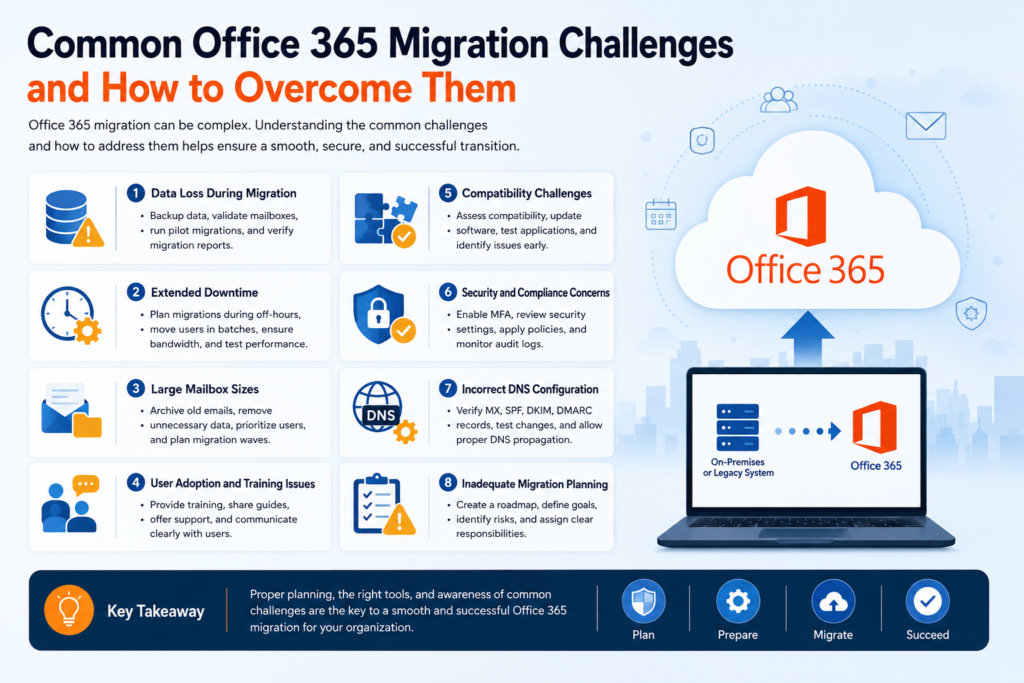
1. Data Loss During Migration
One of the biggest concerns during any migration project is the possibility of losing important emails, contacts, calendars, or attachments. Data loss can occur due to incomplete migrations, corrupted source files, or configuration errors.
How to Overcome It
- Perform a complete backup before starting the migration.
- Validate mailbox data before and after migration.
- Conduct pilot migrations with a small group of users.
- Use reliable migration methods and verify migration reports regularly.
2. Extended Downtime
Unexpected downtime can affect employee productivity and business operations. Large mailbox sizes, network issues, or poor planning can increase migration duration.
How to Overcome It
- Schedule migrations during weekends or off-business hours.
- Migrate users in batches instead of all at once.
- Ensure sufficient internet bandwidth for cloud transfers.
- Test migration performance before executing the full project.
3. Large Mailbox Sizes
Organizations often have mailboxes containing years of emails and attachments. Large data volumes can significantly increase migration time and complexity.
How to Overcome It
- Archive outdated emails before migration.
- Remove unnecessary or duplicate data.
- Prioritize active users and critical mailboxes.
- Plan migration waves based on mailbox size and department requirements.
4. User Adoption and Training Issues
Employees may struggle to adapt to a new environment if they are unfamiliar with Microsoft 365 features and workflows.
How to Overcome It
- Provide user training sessions before migration.
- Share documentation and quick-start guides.
- Offer post-migration support to address user concerns.
- Communicate migration timelines and expectations clearly.
5. Compatibility Challenges
Legacy systems, outdated Outlook versions, or third-party applications may not integrate smoothly with Microsoft 365.
How to Overcome It
- Perform a compatibility assessment before migration.
- Update outdated software and operating systems.
- Test business-critical applications in the new environment.
- Identify potential integration issues early in the planning stage.
6. Security and Compliance Concerns
Many organizations handle sensitive information and must comply with industry regulations. Migrating data without proper security measures can create compliance risks.
How to Overcome It
- Enable multi-factor authentication (MFA).
- Review Microsoft 365 security settings before migration.
- Apply appropriate retention and compliance policies.
- Monitor migration activities and audit logs regularly.
7. Incorrect DNS Configuration
DNS changes are often required during migration. Incorrect settings can lead to email delivery problems and service interruptions.
How to Overcome It
- Document existing DNS configurations.
- Verify MX, Autodiscover, SPF, DKIM, and DMARC records.
- Test DNS changes in advance whenever possible.
- Allow sufficient propagation time before final cutover.
8. Inadequate Migration Planning
Many migration failures result from insufficient preparation rather than technical limitations.
How to Overcome It
- Create a detailed migration roadmap.
- Define project goals and timelines.
- Identify potential risks and mitigation strategies.
- Assign responsibilities to IT staff and stakeholders.
Conclusion
A successful Office 365 migration involves much more than simply moving mailboxes from one environment to another. Organizations must address challenges such as data loss, downtime, compatibility issues, DNS configuration, and user training to ensure a smooth transition.
With proper planning, testing, and the right Office 365 migration strategy, businesses can minimize risks and maximize the benefits of Microsoft 365. Many organizations also choose dedicated migration solutions such as EdbMails to streamline complex migration projects and reduce manual workload. Regardless of the approach, careful preparation remains the key to a successful Office 365 Migration.
Frequently Asked Questions (FAQs)
1. What is the most common challenge during Office 365 migration?
Data loss and migration downtime are among the most common concerns. Proper planning, backups, and testing can significantly reduce these risks.
2. How long does an Office 365 migration take?
The duration depends on factors such as mailbox size, number of users, network speed, and migration method. Small projects may take a few days, while larger migrations can take several weeks.
3. Can users continue working during the migration process?
In many cases, users can continue accessing email and applications during staged or hybrid migrations, although temporary disruptions may occur during cutover periods.
4. How can organizations ensure a successful Office 365 migration?
Success depends on thorough planning, pilot testing, user communication, data validation, and ongoing monitoring throughout the migration project.